
Please login into Million Accounting System and follow these steps :
General -> More Reports -> General Enquiry -> Check Transaction -> select Check Bill No.
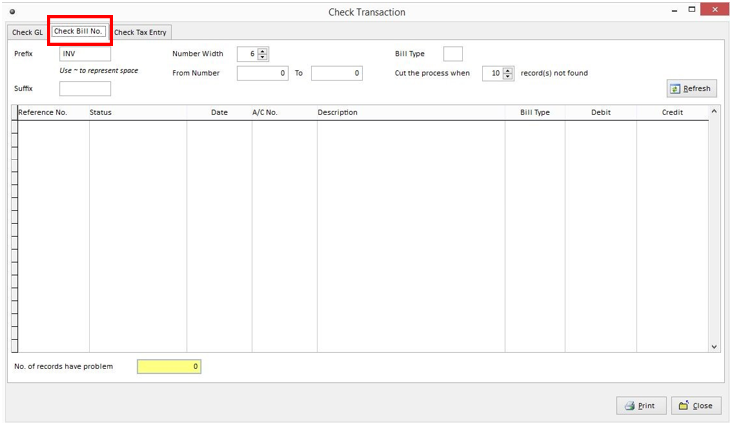
i) Select the Prefix bill reference no.
ii) Select number width (eg: INV0001 number width is 4)
iii) Select From Number To number (eg: if checking number is INV0001 to INV0030, enter From Number 1 To 30)
iv) Select the bill type:
| Bill Type | Type |
| I | Invoice |
| D | Debit Note |
| C | Credit Note |
| P | Payment |
| R | Cheque Return |
| F | Refund |
| G | GST Adjustment |
v) Select the record cut of point (optional) (eg: system will no continue search process when it trace 18 records
that have problems)
vi) Click on Refresh Button
